Follow this document on how to setup multicast on Cisco routers: https://www.cisco.com/c/en/us/support/docs/ip/ip-multicast/9356-48.html
We will focus only on VLC Media Player as a multicast source and receiver.
- Setup multicast network with windows 10 machines on both ends (1x receiver + 1 x server) Linux should be okay also but I was unable to receive with Debian 8. Testing was minimal so feel free to check it out yourself.
- permit VLC to send traffic with a TTL higher than 1. This has frustrated many including myself. You will spend a lot of time setting up your multicast network and troubleshooting it thinking you’ve done something wrong or you have some issue with your software. By default VLC uses TTL as 1 and the first router will drop the packet.
Open VLC, select “Tools > Preferences > Show settings > All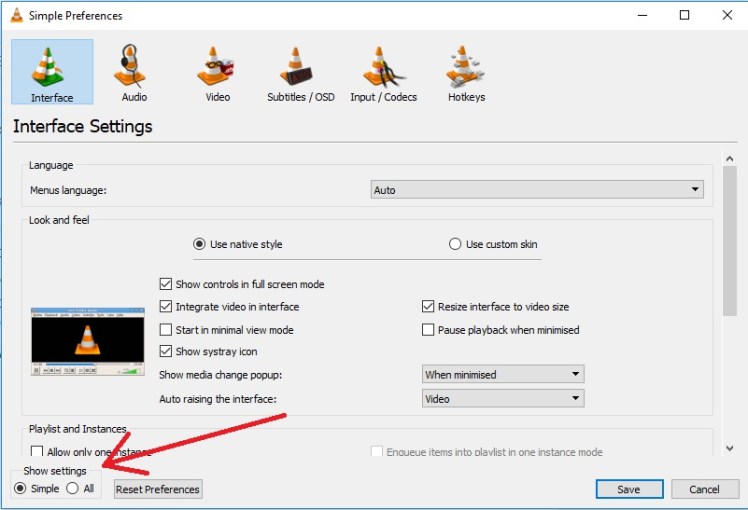
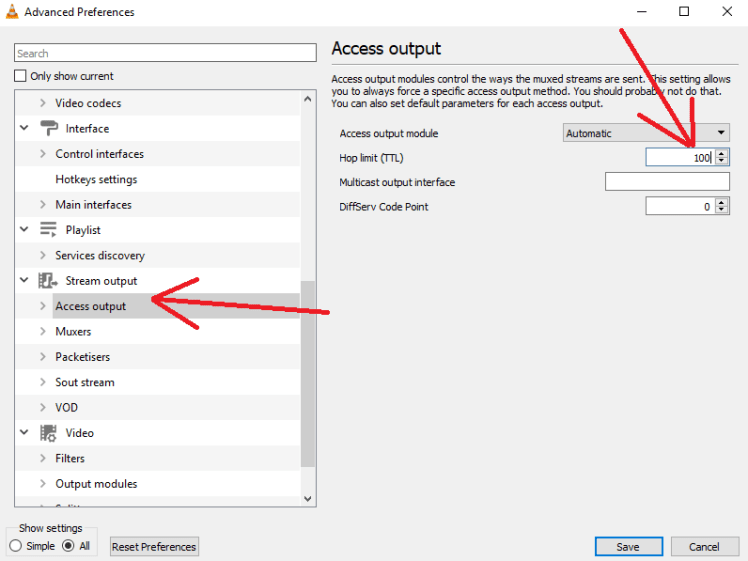
Select “Access output” and change the TTL from “-1” to any reasonable number between 1 and 255 (100 is enough)
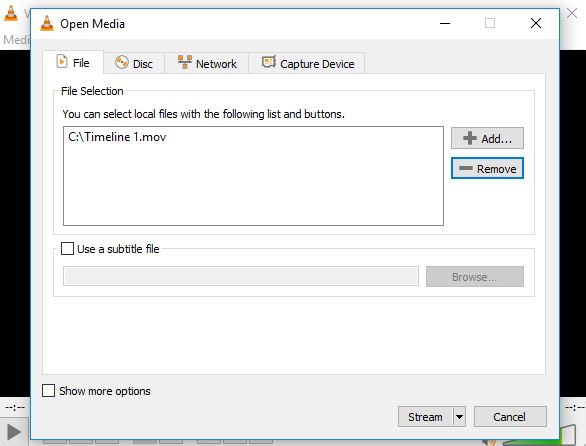
Select file to stream
Select “RTP/MPEG Transport Stream” and click “Add”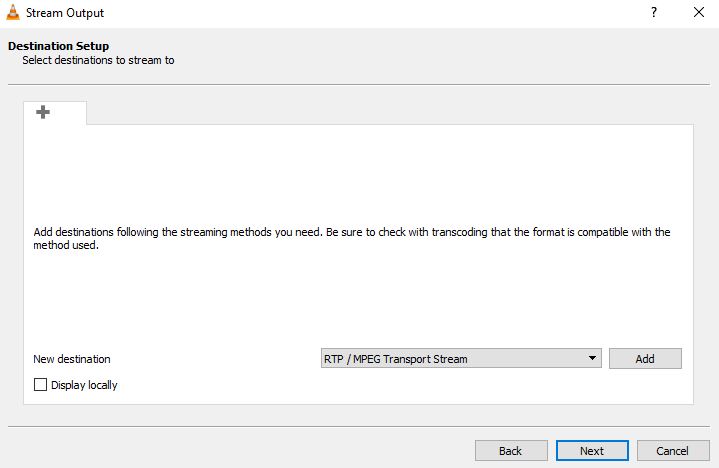
Enter your multicast address you wish to stream to. You can leave the base port and stream name as default
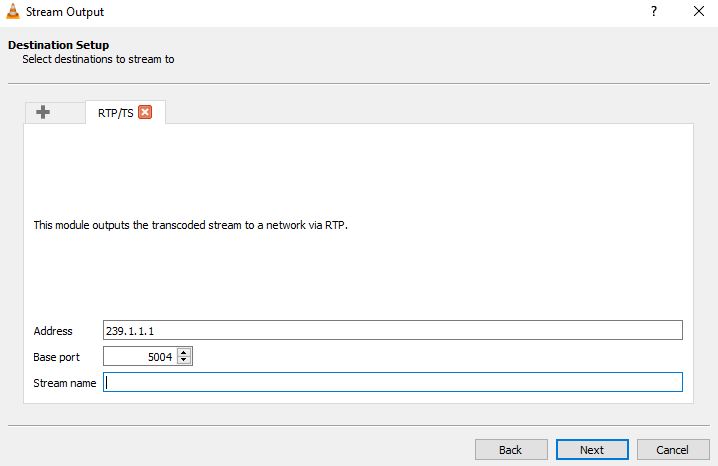
Default transcoding settings should be fine. Change if needed

IMPORTANT!! Add “ttl=50” Change “50” to whatever number you would prefer but it must be enough hops to traverse your network. Each hop reduces TTL by 1
Note: This MUST be done in addition to the settings in VLC preferences
Press the “stream” button
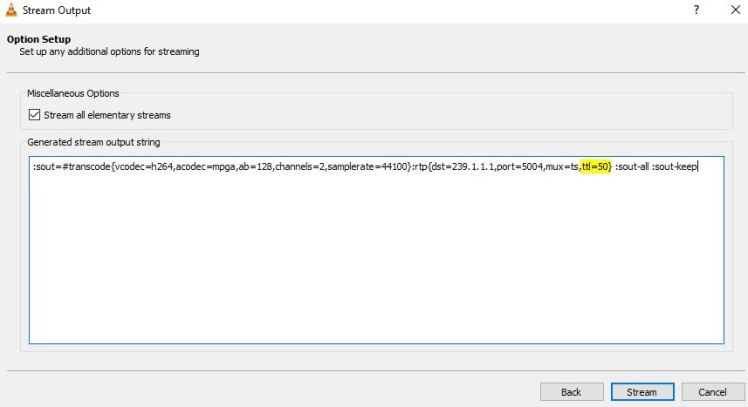
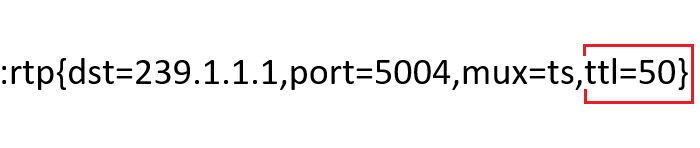
Your stream will start but no video will be shown locally on the server with default settings. This is OK!
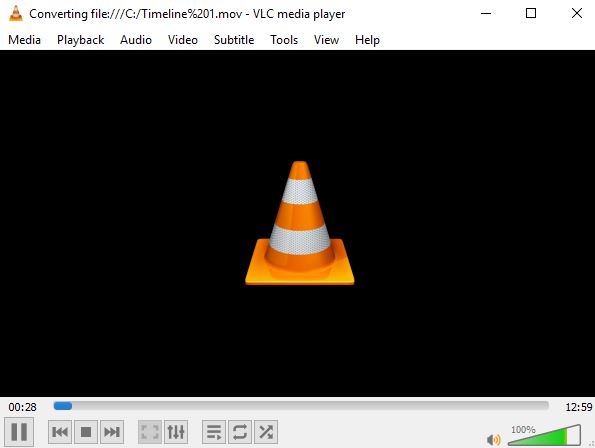
On the client / receiver. Select open stream from the media menu and enter as below
rtp://@239.1.1.1:5004
Change to match your multicast address and port

That’s it. just make sure you verify the TTL was changed via wireshark if it doesn’t work.
if TTL shows as changed in wireshark (higher than 1) then something is wrong with your multicast setup.
 JUNIOR TAITT
hello sir how are you , as you you say i do like same , it is not work can you help me pls
Hi Abdul, did you verify TTL was modified via wireshark packet capture?
Thank you! I’ve never been great with multicast and wanted to improve. I really thought I was getting my setup wrong, nope, it was VLC only…